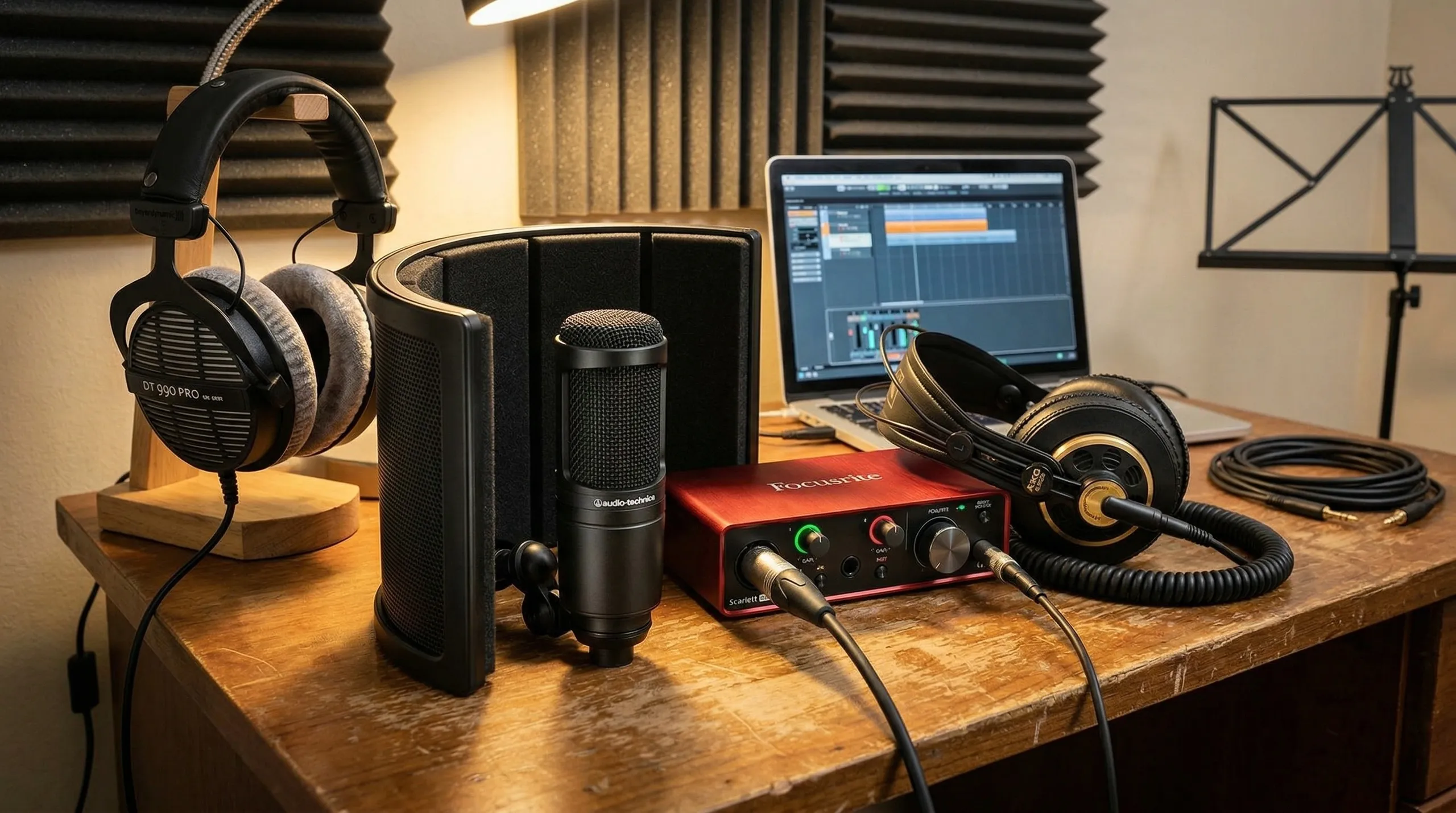
A lower price on recording gear only matters if the gear still solves the right problem. The Focusrite Scarlett 2i2 sits in that sweet middle spot for U.S. creators who want cleaner vocals, tighter guitar takes, and a simpler desk setup without buying a rack full of studio hardware. For musicians, streamers, voiceover beginners, and anyone building a podcast recording setup at home, the draw is plain: two inputs, familiar controls, USB-C connection, and enough headroom to keep a good take from falling apart. Deal chatter around a USB audio interface can get messy, though, because “lowest” may mean new, used, refurbished, open-box, or bundled with software. That is why smart shoppers should treat the current price drop as a buying signal, not a blind command. In plain terms, this is the kind of creator gear price watch moment where the real question is not “Is it cheap?” It is “Does this price finally match the way you plan to record?”
Why the Focusrite Scarlett 2i2 Deal Feels Different This Time
The budget recording market has grown crowded, but the 2-input desktop interface still holds a special place. It is the small box many creators buy when laptop microphones, USB mics, or phone recordings start to feel limiting. The tension comes from price. Beginners want something serious, yet they do not want to spend studio money before they know how often they will record.
The price drop matters because the setup is not disposable
A cheap interface can become expensive if you replace it six months later. That is the quiet reason this deal is getting attention. The fourth-generation model is not a toy for one project. It has two microphone preamps, two instrument inputs, USB Type-C connection, loopback, 24-bit/192 kHz recording support, and bus power, according to Focusrite’s own published specifications.
That matters in a real room. A singer in Austin can plug in a condenser mic and an acoustic guitar. A YouTuber in Ohio can run a mic while capturing computer audio. A remote worker in Denver can build a cleaner voice chain for webinars, lessons, and paid calls. Same box. Different pressure.
Here is the non-obvious part: two inputs are not only for duos. They also protect you from outgrowing the gear too fast. Even solo creators end up needing a second input for a guest mic, stereo keyboard, DI guitar track, or backup recording path.
Affordable does not always mean the same thing
Retail pages love bold price language. A careful buyer should slow down. The Federal Trade Commission tells businesses that advertising claims need solid proof, especially when those claims affect consumers’ money, and its truth-in-advertising guidance applies online as well as offline.
That guidance should shape how you read any “most affordable” claim. A new retail unit, a refurbished unit, and an open-box unit are not the same purchase. Focusrite has shown refurbished fourth-generation 2i2 pricing far below the new listed price on its own store, while Amazon price-history tracking has shown older low points for third-party new listings.
The smarter move is to compare like with like. New against new. Refurbished against refurbished. Bundle against bundle. If a deal includes headphones you will never use, that bundle may not save you money. It may add clutter.
What Creators Actually Get for the Lower Price
Once the price looks tempting, the next question is simple: what does the box do better than cheaper gear? The answer is not magic sound. It is control. A solid USB audio interface gives you gain, monitoring, inputs, and software routing in one predictable place.
Two inputs change how you record at home
Home studio recording often starts with one mic on a desk. Then life gets louder. You want to record guitar and vocal together. A friend comes over for a podcast. You buy a synth. You start filming lessons and need a mic plus a line feed.
That is where the two-input layout earns its keep. The unit lets microphones connect through XLR inputs, while front-panel line and instrument inputs handle guitars, basses, synths, or other gear. Sweetwater’s listing describes it as a 2-in/2-out USB-C interface with two preamps, Auto Gain, Clip Safe, Dynamic Gain Halos, Easy Start, and the Hitmaker Expansion software bundle.
The small win is cable sanity. You are not swapping gear every time you change tasks. A bedroom producer in Nashville can leave a vocal mic plugged in and still track bass without crawling behind a desk. That kind of workflow sounds boring until it saves the one take that felt alive.
Auto Gain helps, but ears still matter
Auto Gain and Clip Safe are useful because beginners often record too hot. They see a weak waveform and push the knob until the vocal distorts. Then the chorus arrives, the signal clips, and the take is damaged. Focusrite says Auto Gain can set levels, while Clip Safe can adjust gain when clipping risk appears.
Still, those tools should not make you lazy. Gain help is not a producer. It cannot move a loud singer back from the mic. It cannot fix a room with bare walls, a humming mini fridge, or a chair squeak in the quiet parts.
The counterintuitive lesson is that a better interface may reveal bad recording habits. Cleaner input can make mouth noise, room echo, and poor mic placement easier to hear. That is not a flaw. It is feedback you can use.
Who Should Buy Now and Who Should Wait
A deal is only good when it meets the right buyer at the right time. For some people, the lower price makes the 2i2 an easy yes. For others, even a discount does not solve the real problem. Buying the wrong interface on sale still leaves you with the wrong interface.
It makes sense for singers, guitarists, and small shows
This is a strong fit for a solo musician who records vocals and guitar, a singer-songwriter who wants scratch demos that do not sound thin, or a podcaster who may bring on one in-person guest. It also fits creators moving from a USB mic to an XLR mic. That jump can feel small on paper, but the control is different.
For a podcast recording setup, the second input is the insurance policy. You may not need it every week. Then one day a guest sits across the table, and you are not stuck sharing one mic in the middle like it is 2009.
A good next step is to pair the interface with a simple beginner home recording gear guide. The interface is only one piece. A decent mic stand, closed-back headphones, and basic room treatment can do more for your sound than chasing another tiny discount.
Waiting is smarter if your needs are bigger
Some buyers should pause. If you plan to record drums, a full band, several podcast guests, or outboard gear with MIDI needs, this box may feel narrow. Two inputs are plenty until they are not.
The MusicRadar budget interface guide places different models into different use cases, with some cheaper options for tight budgets and other picks for streaming or all-in-one beginner packs. Its testing context also shows why one “best” interface rarely fits every creator.
Here is the part sale pages rarely admit: buying bigger than you need can slow you down too. More knobs, routing screens, and unused inputs can turn a simple vocal session into troubleshooting. The right size is the one that lets you record tonight, not the one that flatters your future self.
How to Judge the Deal Before You Checkout
The last step is not excitement. It is inspection. Price drops on music gear often come with small details that change the purchase: seller, condition, return window, software eligibility, warranty, and whether the listing is for the current generation.
Check generation, condition, and seller details
The fourth-generation unit is the one most buyers mean when they talk about Auto Gain, Clip Safe, loopback, and the newer preamp design. Older third-generation listings can still be good buys, but they should not be priced as if they include every current feature.
Look closely at the title and product photos. A marketplace listing may say “Scarlett 2i2” without making the generation obvious. Some used listings show an older body style. Others mix current copy with older stock photos. That is not always fraud, but it is enough reason to slow down.
A clean checklist helps:
- Confirm it is the generation you want.
- Check whether it is new, refurbished, open-box, or used.
- Read the return policy before the cart page.
- Confirm software bundle eligibility.
- Compare the final price after shipping and tax.
That last line matters in the U.S. A deal that looks better at first glance can lose its edge after checkout math.
Build the full recording budget, not only the interface price
The interface may be the headline, but your total cost includes everything around it. A new XLR mic needs a cable. A condenser mic needs phantom power, which the unit supports, but it also needs a stable stand and a room that is not bouncing sound everywhere. Closed-back headphones help stop bleed during recording.
For home studio recording, the hidden upgrade is often not another device. It is placement. Move the mic away from a bare wall. Put a rug under the chair. Record farther from the window. Turn off the air conditioner for a vocal take if the room allows it.
That is why shoppers should treat this lower price as a chance to balance the budget. Spend less on the interface, then put the savings toward the weak link. For a streamer, that may be headphones. For a songwriter, it may be a mic stand that does not sag halfway through a chorus. For a show host, it may be a second XLR microphone from a best microphones for podcasting shortlist.
Conclusion
The best deal in recording gear is the one that removes friction without adding a new pile of problems. A lower price on the 2i2 matters because it opens the door for creators who have waited to move past laptop audio, USB mic limits, or messy cable swaps. Still, the buying decision should stay grounded. Confirm the generation, read the condition, compare the final cart price, and think about the full chain from mic to room to headphones. The Focusrite Scarlett 2i2 makes the most sense when you need two inputs, simple controls, and room to grow without turning your desk into a control room. It is not the cheapest box in the category, and that is fine. The better question is whether it saves you from buying twice. If the answer is yes, this may be the right moment to build the setup you will keep using.
Frequently Asked Questions
How much should I pay for a 2-input audio interface?
A fair price depends on condition, generation, and included software. New current-generation units cost more than older used models, while refurbished units can cut the price. Compare final checkout totals, not banner prices, because tax, shipping, and return terms change the deal.
Is a 2-input interface enough for podcasting?
Yes, for solo shows and two-person recordings. A podcast recording setup with two XLR mics can work well on a 2-input unit. Larger roundtable shows need more inputs, unless you record remote guests through software instead of local microphones.
Is this better than a USB microphone?
It can be better if you want more control, XLR mic choices, direct instrument recording, and easier growth. A USB mic is simpler, but a USB audio interface gives you a more flexible path for music, streaming, voiceover, and guest recording.
Can beginners use this without studio experience?
Yes. The layout is friendly enough for beginners, especially with gain help and simple monitoring controls. You still need to learn mic distance, room noise control, and headphone monitoring. Those basics affect the recording more than most new buyers expect.
What do Auto Gain and Clip Safe do?
Auto Gain helps set an input level, while Clip Safe can reduce gain when the signal gets too close to distortion. They are useful safety tools, not replacements for good mic placement. Loud singers and sudden peaks still need careful setup.
Does it work for guitar recording?
Yes. The instrument inputs are made for direct guitar or bass recording. Many players record a clean DI signal, then shape the tone with amp software. That setup is handy for apartments because you can record late without using a loud amplifier.
What else do I need for home studio recording?
Most setups need an XLR microphone, mic cable, stand, pop filter, closed-back headphones, and a quieter recording space. Room control matters. A modest mic in a calmer room often beats an expensive mic in a bright, noisy bedroom.
Should I buy new, used, or refurbished?
New is safest for warranty and software access. Refurbished can be a strong value when sold by the brand or a trusted retailer. Used can save money, but check photos, return terms, missing cables, and whether the software bundle has already been claimed.